By Mithun
What shutter speed does, a chart of speeds for common subjects, and how to change it on a camera, iPhone or Samsung phone.
Shutter speed is how long a camera lets light reach its sensor, measured in seconds or fractions of a second. A fast shutter speed, such as 1/1000s, freezes movement. A slow one, such as 1 second, blurs anything that moves and needs a tripod. This guide explains how shutter speed works, which speed to use for common subjects, and how to change it on a camera, an iPhone or a Samsung phone. For how it works with aperture and ISO, see our exposure triangle guide, and more guides are in Photography & Gear.
Shutter speed in a camera is the length of time the sensor is exposed to light when you take a photo, as Wikipedia's entry on shutter speed defines it. Most speeds are fractions of a second, written as 1/250s. Speeds of a second or longer are often shown with a quote mark, so 2" means two seconds.
Each standard step doubles or halves the light reaching the sensor:
| Shutter speed | Light compared with the step before |
|---|---|
| 1/1000s | Starting point |
| 1/500s | Twice as much |
| 1/250s | Twice as much |
| 1/125s | Twice as much |
| 1/60s | Twice as much |
| 1/30s | Twice as much |
| 1/15s | Twice as much |
| 1/8s to 1s | Twice as much at each step |
Most cameras go as fast as 1/4000s, some reach 1/8000s, and the slowest standard setting is usually 30 seconds, Photography Life notes.
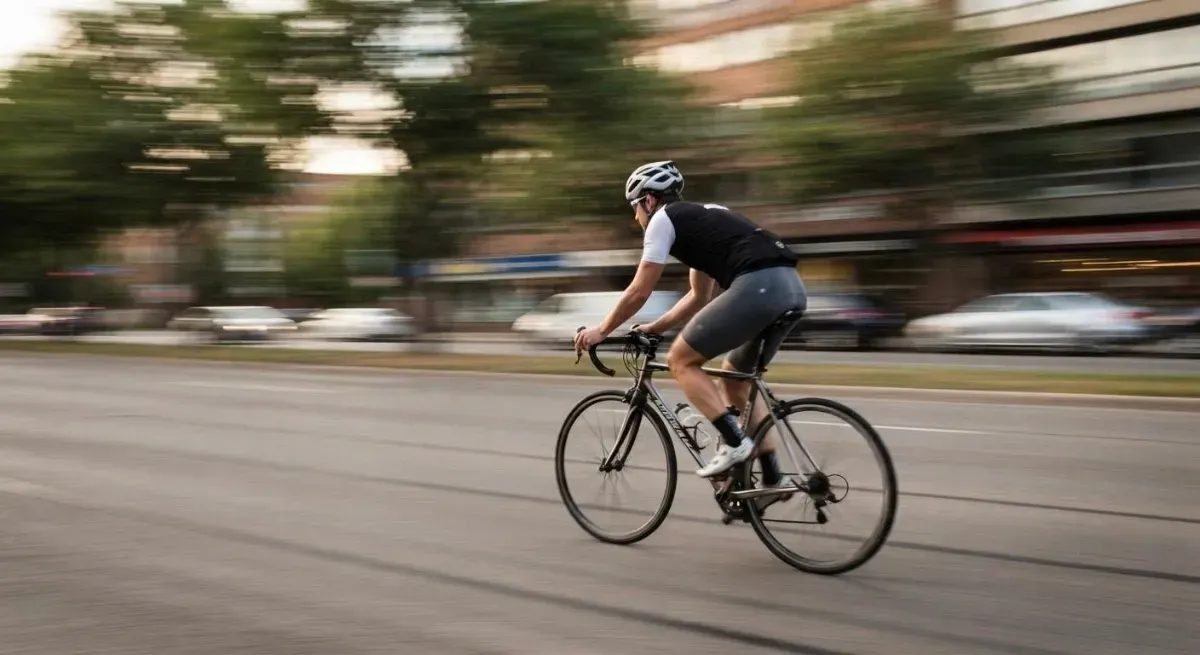
A fast shutter speed freezes movement, and a slow shutter speed records it as blur. About 1/1000s is enough to stop most action, according to Cambridge in Colour, so a bird in flight or a splash of water comes out sharp.
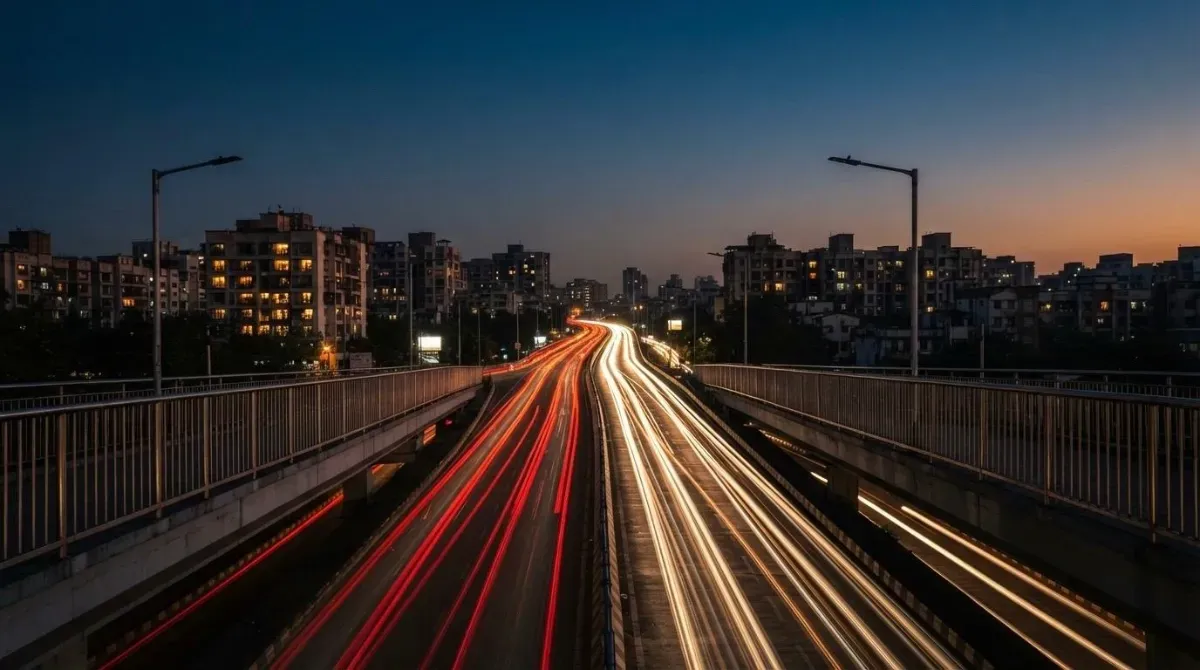
Slow shutter speed pictures use blur on purpose. Car headlights become streaks of light, a waterfall turns smooth and silky, and a crowd turns into a soft flow of people around a still subject. These need a tripod or a steady wall, because the camera must not move during the exposure.
Panning sits in between. If you follow a moving subject with the camera during a slow exposure, the subject stays fairly sharp while the background streaks, Wikipedia explains. A speed of around 1/30s is a common starting point.
Use a fast speed for moving subjects and a slow speed only when the camera is on a tripod. These starting points come from Adobe India's guide to shutter speed:
| Subject | Shutter speed |
|---|---|
| Sport, birds and wildlife | 1/1000s or faster |
| Holi celebrations | 1/500s |
| Street photos, people walking | 1/250s or faster |
| Dance indoors, showing movement | 1/15s to 1/60s |
| Ganesh Chaturthi processions, showing movement | 1 to 2 seconds |
| Waterfalls and landscapes, on a tripod | 5 to 30 seconds |
| Night traffic light trails | 10 to 20 seconds |
| Star trails | Several minutes, in Bulb mode |
The slowest speed you can safely hold by hand is 1 divided by the lens's focal length multiplied by the crop factor, which is 1.6 on Canon and 1.5 on Nikon and Sony beginner cameras. A 50mm lens on a Canon therefore needs 1/80s or faster, Digital Photography School explains.
Image stabilisation lets you go a few stops slower for still subjects, but it only corrects the movement of your hands. A person walking still needs about 1/250s to look sharp.
To set the shutter speed yourself, switch the mode dial to Shutter Priority, marked Tv on Canon and S on Nikon and Sony, and turn the main dial. The camera then sets the aperture to match. In Manual mode, you set both shutter speed and aperture.
For exposures longer than 30 seconds, choose Bulb mode, marked B. The shutter stays open for as long as you hold the button, so use a remote release to avoid shaking the camera.
Many cameras offer two kinds of shutter. The mechanical shutter is a physical curtain. The electronic shutter switches the sensor on and off instead, which makes it silent and allows faster speeds, but it can bend fast-moving objects such as a swinging golf club or a spinning propeller, Canon notes.
Only on the newest Pro model. The built-in Camera app sets shutter speed automatically on most iPhones. The iPhone 18 Pro adds manual controls, with shutter speeds as fast as 1/16,000s, and those controls are limited to that model, Macworld reports. On older models such as the iPhone 11, a camera app such as Halide adds manual shutter speed. For the settings you can change in the Camera app, see our guide to iPhone camera settings.
Samsung Galaxy phones let you set shutter speed in Pro mode. Open the Camera app, switch to Pro mode and adjust the shutter speed setting, which Samsung's guide to Pro mode describes as controlling the amount of light entering the camera. Pro mode also lets you set ISO, white balance and focus by hand.
Any recent iPhone can fake a slow shutter speed with a Live Photo. Take a Live Photo of moving water or traffic while holding the phone very still, open it in Photos, tap the Live menu at the top and choose Long Exposure, iPhone Life explains. Menu names can differ slightly between iOS versions.
For natural-looking movement in video, set the shutter speed to about double the frame rate. At 24 frames per second, that is 1/48s, the setting film cameras traditionally used, according to Wikipedia. Most cameras offer 1/50s as the nearest choice.
It means the shutter stays open for one 250th of a second. That is fast enough to keep people walking sharp.
About 1/1000s freezes most action, such as sport, birds and splashing water. Very fast subjects may need 1/2000s or faster.
Not in the built-in Camera app, which sets it automatically. A camera app such as Halide adds manual shutter speed, and the Live Photo Long Exposure effect gives a slow shutter look.
Use at least 1 divided by the focal length times the crop factor, such as 1/80s for a 50mm lens on a Canon. For moving people, use 1/250s or faster.
Handheld, use the slowest speed you can hold steady and raise ISO. On a tripod, use several seconds for light trails or a still city scene.