By Mithun
The full form of ISO, what it does to your photos, the best ISO for day, night and indoors, and how to set up Auto ISO.
ISO in a camera is the setting that controls how much the camera brightens the image from its sensor. A low ISO, such as 100, gives a clean photo in good light. A high ISO, such as 3200, brightens the photo in dim light but adds grain, called noise. This guide explains the full form of ISO, what it does, which ISO to use in common situations, and how to set it. For how ISO works with aperture and shutter speed, see our exposure triangle guide, and more guides are in Photography & Gear.
ISO is the short name of the International Organization for Standardization, the body that sets the standard for camera sensitivity. It is not an acronym: the organisation chose "ISO" from the Greek word isos, meaning "equal", so the name would be the same in every language, according to ISO itself.
The camera setting follows a standard called ISO 12232, which describes how digital cameras measure ISO, and it uses the same number scale as the old ASA film speeds, Wikipedia's entry on film speed explains. That is why the numbers on your camera, such as 100, 400 and 1600, match the speeds once printed on film rolls.
ISO changes how bright a photo comes out from the same amount of light. Each time you double the number, from 100 to 200 or 400 to 800, the photo gets one stop brighter, which means twice as bright.
The cost is noise, the grainy speckles and blotchy colours that reduce detail. The higher the ISO, the more noise appears. Despite the common description, a higher ISO does not make the sensor itself more sensitive. The camera amplifies the signal after light reaches the sensor, as ExpertPhotography explains, which is why it brightens the noise along with the picture.
| ISO | Brighter than ISO 100 by |
|---|---|
| 100 | Same |
| 200 | 1 stop (2 times) |
| 400 | 2 stops (4 times) |
| 800 | 3 stops (8 times) |
| 1600 | 4 stops (16 times) |
| 3200 | 5 stops (32 times) |
| 6400 | 6 stops (64 times) |
The lowest standard setting is called base ISO, and it gives the cleanest image. On most cameras it is 80 or 100, ExpertPhotography notes.
Many cameras also offer extended settings beyond their normal range, often marked L (low) or H (high). The Canon EOS R50, for example, runs from ISO 100 to 32,000 and extends to 51,200, according to Canon India. Photography Life advises avoiding these extended settings, because the camera simulates them and image quality drops.
Use the lowest ISO that still lets you use a fast enough shutter speed. These starting points come from Canon's guide to ISO:
| Situation | ISO |
|---|---|
| Bright sunlight, landscapes | 100 |
| Cloudy day or indoors in good light | 400 |
| Indoors without flash, early evening | 800 |
| Portraits | 100 to 800, depending on the light |
| Sport and fast action | 800 to 3200 |
| Low light and night | 1600 to 6400 |
At night or in a dim hall, raise ISO only after you have opened the aperture as wide as it goes and slowed the shutter as far as you can hold it steady.
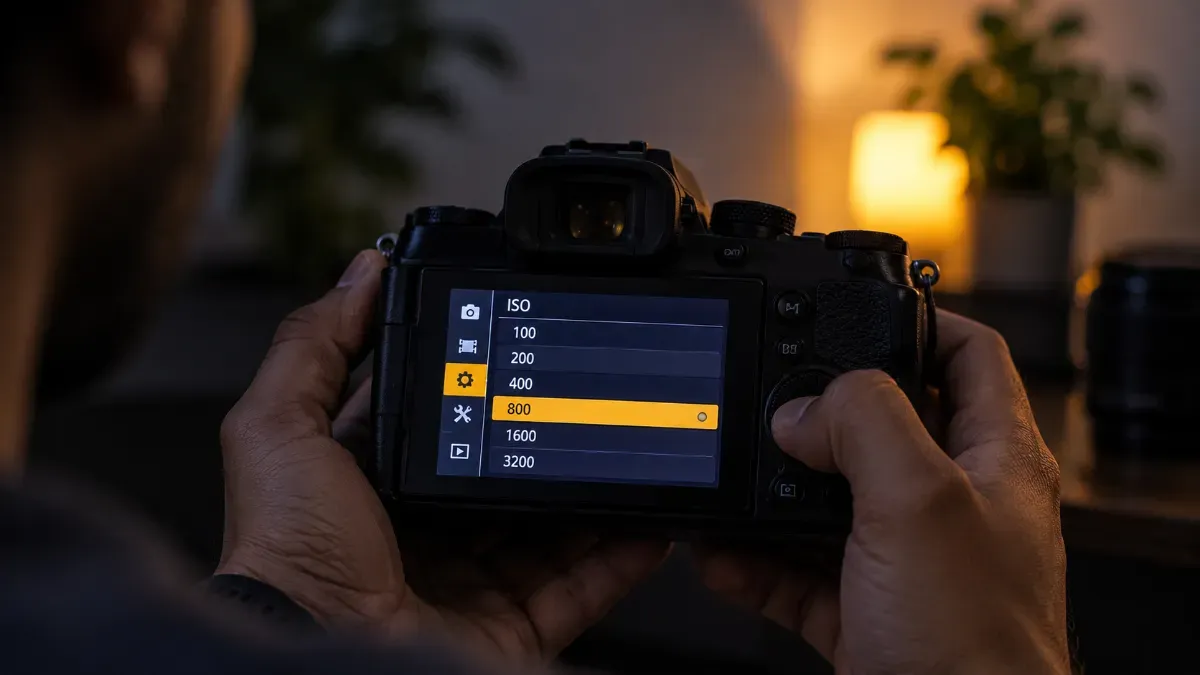
Most cameras have an ISO button or an ISO option in the quick menu. Press it, then turn the dial to choose a value. In Auto and the scene modes, the camera sets ISO for you, so switch to Program, Aperture Priority, Shutter Priority or Manual to set it yourself.
Auto ISO lets the camera raise ISO only when the light needs it. Set it up once:
Phones set ISO automatically. On an iPhone, the built-in Camera app does not let you set ISO by hand, while camera apps such as Halide add an ISO slider, Macworld notes. Samsung Galaxy phones include a Pro mode where you can set ISO yourself, Samsung's guide to Pro mode shows. For the iPhone settings you can change, see our guide to iPhone camera settings.
ISO is the short name of the International Organization for Standardization, which sets the standard for camera sensitivity. The short name comes from the Greek word isos, meaning “equal”, rather than from the initials.
No. A higher ISO brightens the photo in dim light but adds noise, so use the lowest ISO that still gives you a fast enough shutter speed.
Handheld at night, ISO 1600 to 6400 is a common range. On a tripod, you can keep ISO at 100 to 400 and use a longer shutter speed instead.
Yes. Higher ISO adds noise and reduces fine detail, which shows most in dark areas and when you zoom in or print large.